

EMPLOYEE COMMUNICATION
Employee texting for shift alerts, policy updates, and everything in between
Your employees check their phones dozens of times a day. Their work email, not so often. Text-Em-All sends one message to your entire workforce in seconds, so a shift change, policy update, or urgent notification reaches the team where they'll actually read it.
- Segment by location, shift, role, or department
- No app, no login, no software to learn
- Two-way replies for shift confirmations or quick polls
- Integrations with your HRIS, payroll, and scheduling tools
What is an employee communication app?
An employee communication app is a platform that lets organizations send text messages, and often automated voice calls, to their entire workforce at once, so shift changes, safety alerts, and policy updates reach every worker on the device they already carry. Unlike email or internal chat tools, it works for deskless and hourly staff who don't sit at a computer. A Text-Em-All staffing customer running a 1,200-person contractor bench reports filling open shifts in under 15 minutes using mass text plus automated voice, versus the multi-hour phone-tree cycle they ran before.
Text-Em-All pairs mass texting with automated calling on one platform, so a shift alert that goes unread on a phone can follow up as a voice message to a landline or a driver on the road. Among the major mass texting platforms, only Text-Em-All offers that integrated voice fallback. The credit-based pricing has no contracts, which matters for operations managers who need to send heavily during a plant shutdown or weather event and lightly the rest of the quarter. CTIA reports SMS open rates average 98% with most texts read within three minutes, which is why Text-Em-All has served 16,000+ organizations, including staffing, manufacturing, and healthcare employers, since 2005.
Why organizations rely on employee texting
Employee texting is a mass messaging method that sends SMS broadcasts to your entire workforce, or targeted groups, directly to their personal mobile phones. No app, no login, no email inbox to check. When a shift changes or a safety alert goes out, it gets through in seconds.
Delivered in seconds
Send one employee text to your entire workforce, segmented by location, shift, or role. Whether a shift opens at 6 AM or a safety alert goes out at noon, the people who need to know find out quickly.
98% open rate
Texts get read. Most employee SMS messages are opened within three minutes, which means when you send a shift change, a deadline reminder, or an urgent update, you're not left wondering if your contacts saw it.
Consent-first by design
Text-Em-All was built on the belief that messages should go to people who expect them. Free 10DLC registration, opt-in tracking, and built-in opt-out management keep your program compliant from day one.
Who uses Text-Em-All for employee texting?
HR managers, operations leads, and staffing coordinators across every industry use Text-Em-All to keep distributed workforces connected. No training required, and when something goes wrong, they reach a support team that's 100% employee-owned and has a direct stake in making it right.
Manufacturing and logistics
Give operations managers a direct line to every employee the moment a shift changes, a safety issue arises, or overtime opens up. No supervisor relay required.
Retail and restaurants
Fill open shifts fast and send schedule reminders, store closures, and team updates to hourly employees who rarely check work email.
Healthcare and clinics
Send coverage requests, schedule confirmations, and policy updates to staff across multiple locations in one broadcast, without relying on email they won't see.
Staffing agencies
Confirm placements, communicate start times, and fill last-minute openings without a phone call campaign. All replies come back to one inbox.
Schools and universities
Keep faculty and staff informed about closures, schedule changes, and campus safety updates.
HR teams and employers
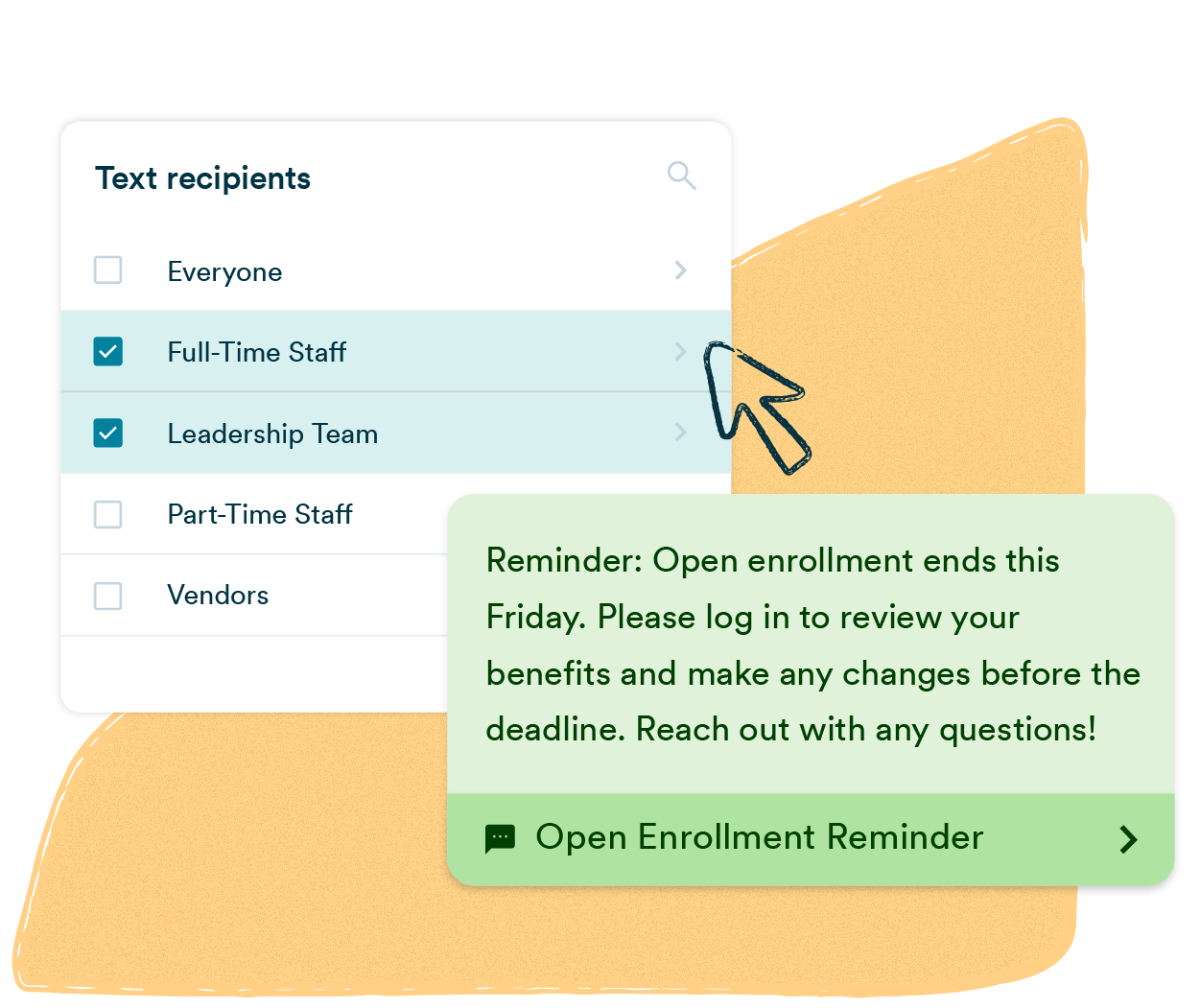
Send benefits reminders, compliance deadlines, company announcements, and recognition messages to your full workforce at once.
Key features for employee texting
Text-Em-All gives HR managers, operations leads, and staffing coordinators everything needed to run a reliable employee texting program, without a learning curve. Broadcast scheduling, two-way conversations, contact segmentation, delivery analytics, and integrations with tools you already use.
Scheduled sending
Write your employee text now, deliver it later. Schedule shift reminders, policy deadlines, and weekly updates so communication happens on time without manual effort.
Two-way texting
Employees can reply directly to any broadcast. Field questions, collect shift confirmations, and have real conversations from your inbox without picking up the phone.
Rich media (MMS)
Attach images, PDFs, or links to any employee SMS. Share updated schedules, safety documents, or maps alongside your text.
Contact management
Organize employees by department, location, shift, or role. Send targeted messages to exactly the right group without rebuilding your list every time.
Detailed analytics
See delivery rates, reply rates, and opt-out data for every broadcast. Know who received your employee text and who didn't, then follow up accordingly.
Integrations and API
Connect to your HRIS, scheduling software, or ATS. Employee contact lists sync automatically so your data stays current without manual imports.

How do I reach deskless workers who don't check email?
Deskless workers get reached through the phone in their pocket, not the inbox they never open, which is why text messaging plus voice broadcast is the practical channel for the 2.7 billion deskless workers who make up roughly 80% of the global workforce. Emergence Capital's 2022 Deskless Workforce Report put the figure at 2.7 billion. Text-Em-All has moved shift alerts, safety notifications, and policy updates to this workforce since 2005.
Text is the default. Voice is the backup. When a driver is on a route, a floor worker is in PPE, or an older warehouse employee never opens texts, an automated call to the same phone number lands. Both channels live in one Text-Em-All account, one contact list, and one send. Organizations that need both should not have to buy two platforms, run two consent records, and reconcile two delivery reports.
Best practices for employee texting
Text-Em-All has processed millions of employee texts across healthcare, manufacturing, staffing, and more. These are the patterns that produce the highest read rates and the lowest opt-outs.
01
Identify yourself
Start every employee text with your company name or department, like "Ridgeline Manufacturing:" or "HR Team:", so recipients know immediately who is texting and why. Messages that skip this step see higher opt-out rates and lower response rates.
02
One action per message
Each employee SMS should ask your team to do exactly one thing. Messages that bundle multiple requests get partial responses or none at all. If you have more than one update, send more than one text.
03
Keep it consistent
Set a predictable pattern and stick to it. A consistent cadence reduces opt-outs because your team knows what to expect and trusts that the message matters when it arrives.
How do you send a mass text message?
Sending a mass text with Text-Em-All takes four steps: upload your contacts, write your message, choose your delivery options, then send or schedule. The platform automatically identifies which numbers can receive texts, removes bad data, and organizes contacts into reusable groups — so your next broadcast takes less time than your first.
01
Add contacts
Upload a spreadsheet or add manually. Landlines are flagged and groups are sorted automatically.
02
Send your message
Write your message, add personalization, and schedule it. Every contact gets a private one-on-one text.
03
Engage with replies
Replies land in a shared inbox your whole team can see. Keyword auto-replies handle the rest.
04
Track performance
See delivery rates, replies, and opt-outs in real time. Every broadcast generates a full report so you know what worked.
The website is extremely user-friendly and a "breeze" to use. Overall, I use this service to quickly and easily communicate with my workforce. Employees today want communication that is fast, easy, and speaking their language. Text-Em-All has this and more!
- Russ I., Vice President of Culture & People at ShineOn
Questions about employee texting
-
How do I send shift alerts to hourly employees?
Send shift alerts to hourly employees through a mass texting platform that lets you group contacts by shift, location, or role, then broadcast the alert in one send with delivery confirmation. With Text-Em-All, a staffing coordinator or plant manager uploads the workforce list, filters to the affected shift, types the message, and sends. Most first-time sends finish in under five minutes. For open shifts that need coverage, two-way replies let workers text back "yes" or "no" and the response lands in the conversation view. Automated voice follows up on phones where the text goes unread.
-
Do employees have to opt in to receive work text messages?
In most cases, no separate signed opt-in is required. Under the TCPA, when an employee provides their phone number to their employer, that constitutes prior express consent for informational, work-related texts like schedules, shift openings, and emergency alerts. The stricter written consent standard only applies to marketing messages. Best practice is still to tell employees during onboarding that you'll text them, document it, and honor opt-outs immediately. Text-Em-All tracks opt-outs automatically and builds compliance into every send.
-
How do I send open enrollment reminders through text?
Send open enrollment reminders through text by building a segmented list of benefits-eligible employees, scheduling a sequence of three to five messages across the enrollment window, and including a link to the enrollment portal in each. A common pattern from Text-Em-All customers: one launch text on day one, a mid-window reminder, a 72-hour warning, and a final-day nudge. HR directors report response and completion rates that email alone cannot match, since 98% SMS open rates (CTIA) put the reminder in front of every enrolled worker, including deskless staff who never open HR emails.
-
Are text messages a compliant way to send safety notifications?
Text messages are a compliant way to send urgent safety notifications when the employer has documented consent, the message contains only non-PHI operational information, and the platform enforces TCPA and 10DLC requirements. OSHA does not require any specific delivery channel for hazard communication, but it does require that notifications actually reach affected workers. Text plus automated voice on Text-Em-All covers workers who can't be reached by email or intranet, including field crews, floor workers, and drivers. For healthcare organizations, Text-Em-All is used for non-PHI staff-side notifications, not patient-facing PHI.
-
What's the difference between an employee communication app and a marketing SMS platform?An employee communication app is built for messages that must arrive, sent to a defined internal audience the organization already employs, while a marketing SMS platform is built to acquire and re-engage consumer subscribers. The audiences, consent models, and message stakes are different. Text-Em-All has served employee communication for 16,000+ organizations since 2005 and refuses to host spam-adjacent categories, which is why staffing, manufacturing, and healthcare employers who need shift alerts and safety notifications choose it over e-commerce-focused platforms.
See how organizations text their teams
Send your first employee broadcast in under five minutes, no contract, no card required. Start free with Text-Em-All and see why 16,000+ organizations, including staffing agencies, manufacturers, and hospital systems, use it to reach the workers who make everything run.
Explore related pillar content: mass texting service and SMS compliance.