


Skip to the main content.

EMPLOYEE COMMUNICATION

Employee texting for shift alerts, policy updates, and everything in between

Send one mass text and reach your entire workforce in seconds — deskless, remote, or on the floor. Text-Em-All delivers shift alerts, schedule changes, policy updates, and emergency notifications directly to the phones your team already carries. No app required.

No credit card required.

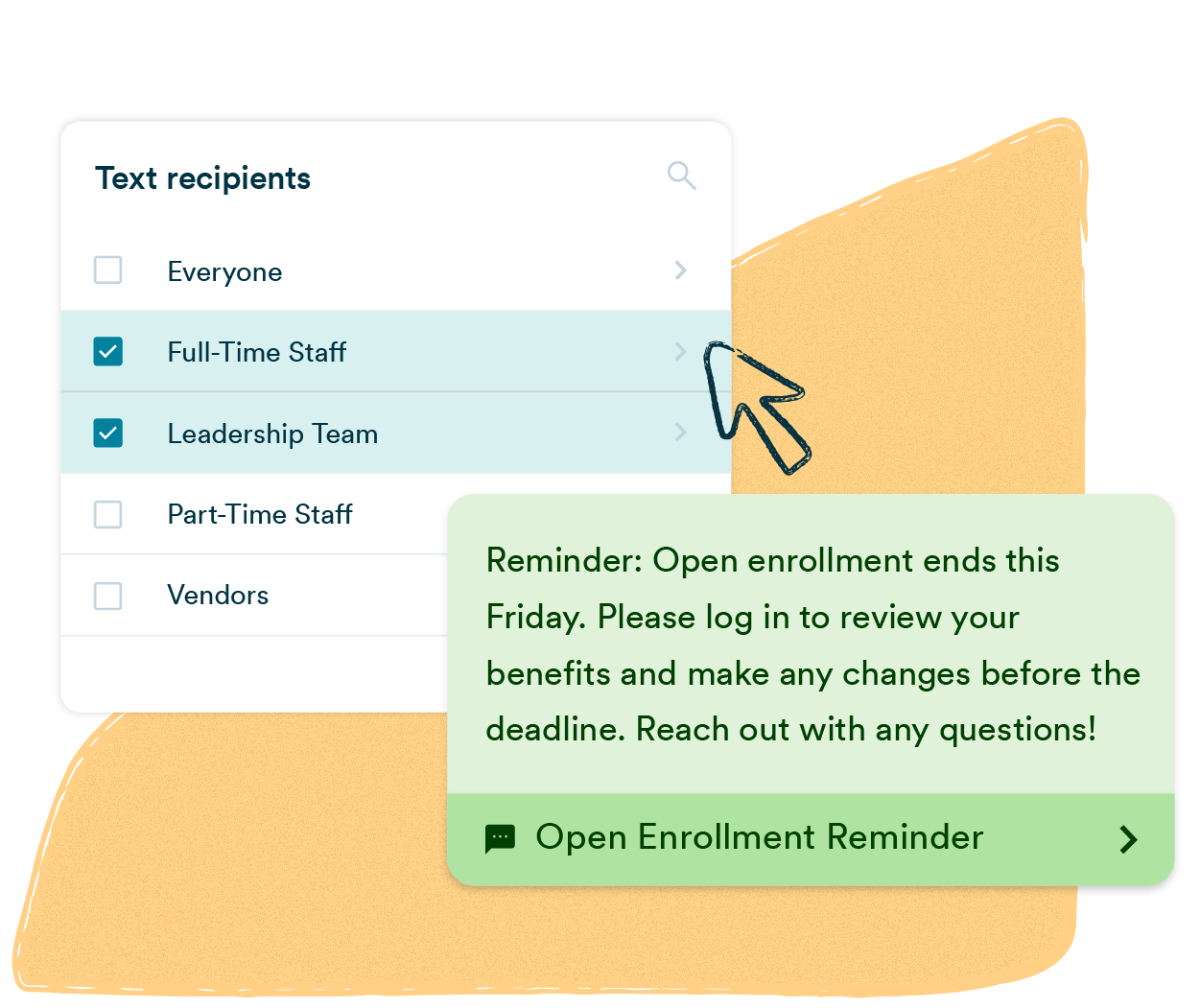
A mass texting platform showing a recipient group selector with Full-Time Staff and Leadership Team selected, alongside an Open Enrollment Reminder broadcast notifying employees when benefits enrollment ends and prompting them to log in and make changes before the deadline.
logo-ups chewy-logo-lg aldi-logo (1)-1-1 logo-express-lg-1 FCAuto Pepsi Ikea Delta

What is employee texting?

Employee texting is a mass messaging method that sends SMS broadcasts to your entire workforce or targeted groups at once, delivered directly to personal mobile phones. HR managers, operations leads, and staffing coordinators use it to send shift alerts, schedule changes, policy updates, and emergency notifications — no app download or company email required.

Why organizations rely on employee texting

Employee texting is a mass messaging method that sends SMS broadcasts to your entire workforce, or targeted groups, directly to their personal mobile phones. No app, no login, no email inbox to check. When a shift changes or a safety alert goes out, it gets through in seconds.

Delivered in seconds

Send one employee text to your entire workforce, segmented by location, shift, or role. Whether a shift opens at 6 AM or a safety alert goes out at noon, the people who need to know find out quickly.

98% open rate

Texts get read. Most employee SMS messages are opened within three minutes, which means when you send a shift change, a deadline reminder, or an urgent update, you're not left wondering if your contacts saw it.

Consent-first by design

Text-Em-All was built on the belief that messages should go to people who expect them. Free 10DLC registration, opt-in tracking, and built-in opt-out management keep your program compliant from day one.

Who uses Text-Em-All for employee texting?

HR managers, operations leads, and staffing coordinators across every industry use Text-Em-All to keep distributed workforces connected. No training required, and when something goes wrong, they reach a support team that's 100% employee-owned and has a direct stake in making it right.

Manufacturing and logistics

Give operations managers a direct line to every employee the moment a shift changes, a safety issue arises, or overtime opens up. No supervisor relay required.

Retail and restaurants

Fill open shifts fast and send schedule reminders, store closures, and team updates to hourly employees who rarely check work email.

Healthcare and clinics

Send coverage requests, schedule confirmations, and policy updates to staff across multiple locations in one broadcast, without relying on email they won't see.

Staffing agencies

Confirm placements, communicate start times, and fill last-minute openings without a phone call campaign. All replies come back to one inbox.

Schools and universities

Keep faculty and staff informed about closures, schedule changes, and campus safety updates.

HR teams and employers

Send benefits reminders, compliance deadlines, company announcements, and recognition messages to your full workforce at once.

Key features for employee texting

Text-Em-All gives HR managers, operations leads, and staffing coordinators everything needed to run a reliable employee texting program, without a learning curve. Broadcast scheduling, two-way conversations, contact segmentation, delivery analytics, and integrations with tools you already use.

icon-auto reply 1

Scheduled sending

Write your employee text now, deliver it later. Schedule shift reminders, policy deadlines, and weekly updates so communication happens on time without manual effort.

icon-convo

Two-way texting

Employees can reply directly to any broadcast. Field questions, collect shift confirmations, and have real conversations from your inbox without picking up the phone.

icon-MMS 1

Rich media (MMS)

Attach images, PDFs, or links to any employee SMS. Share updated schedules, safety documents, or maps alongside your text.

icon-contact 1

Contact management

Organize employees by department, location, shift, or role. Send targeted messages to exactly the right group without rebuilding your list every time.

icon-reporting

Detailed analytics

See delivery rates, reply rates, and opt-out data for every broadcast. Know who received your employee text and who didn't, then follow up accordingly.

icon-integration 1

Integrations and API

Connect to your HRIS, scheduling software, or ATS. Employee contact lists sync automatically so your data stays current without manual imports.

Best practices for employee texting

Text-Em-All has processed millions of employee texts across healthcare, manufacturing, staffing, and more. These are the patterns that produce the highest read rates and the lowest opt-outs.

01
Identify yourself

Start every employee text with your company name or department, like "Ridgeline Manufacturing:" or "HR Team:", so recipients know immediately who is texting and why. Messages that skip this step see higher opt-out rates and lower response rates.

02
One action per message

Each employee SMS should ask your team to do exactly one thing. Messages that bundle multiple requests get partial responses or none at all. If you have more than one update, send more than one text.

03
Keep it consistent

Set a predictable pattern and stick to it. A consistent cadence reduces opt-outs because your team knows what to expect and trusts that the message matters when it arrives.

How do you send a mass text message?

Sending a mass text with Text-Em-All takes four steps: upload your contacts, write your message, choose your delivery options, then send or schedule. The platform automatically identifies which numbers can receive texts, removes bad data, and organizes contacts into reusable groups — so your next broadcast takes less time than your first.

01
Add contacts

Upload a spreadsheet or add manually. Landlines are flagged and groups are sorted automatically.

02
Send your message

Write your message, add personalization, and schedule it. Every contact gets a private one-on-one text.

03
Engage with replies

Replies land in a shared inbox your whole team can see. Keyword auto-replies handle the rest.

04
Track performance

See delivery rates, replies, and opt-outs in real time. Every broadcast generates a full report so you know what worked.

Orange-stars

The website is extremely user-friendly and a "breeze" to use. Overall, I use this service to quickly and easily communicate with my workforce. Employees today want communication that is fast, easy, and speaking their language. Text-Em-All has this and more!

-  Russ I., Vice President of Culture & People at ShineOn

16,000+ organizations served
 
100% employee-owned
 
95%+ message deliverability
 
4.7★ 1,036 reviews on Trustpilot

Questions about employee texting

Your employees deserve to get the message

Text-Em-All was built to deliver the communications that matter most: shift changes, safety alerts, and updates your team can't afford to miss. Set up a free account and send your first employee text in minutes.