





TEXT ANNOUNCEMENTS
Send text announcements your whole audience will actually see
Emails get buried. Voicemails go unchecked. Text announcements land directly on the device your contacts already have in their hand — and 98% of them get read within minutes.
No credit card required.
What is a mass texting service?
A mass texting service lets an organization send one message to thousands of people at once, with each recipient receiving it as a private, individual text — not a group chat. The sender writes a message, selects a contact list, and the platform handles delivery, compliance, opt-outs, and reporting automatically.
Why organizations trust us for text announcements
Most announcements are time-sensitive. Here's what makes the difference between a message that lands and one that gets missed.
Delivered in seconds
Send to your entire contact list in a single broadcast — no manual outreach, no phone tree.
98% open rate
Email averages under 25%. When the message matters, text is the channel that delivers.
Built in compliance
Opt-out management, delivery tracking, and 10DLC carrier registration are handled for you.
Who sends text announcements with Text-Em-All?
Used by schools, businesses, healthcare organizations, HR teams, and more.
Retail and business owners
Announce flash sales, store closures, and policy changes to customers who opted in to hear from you.
Healthcare and clinics
Notify patients of schedule changes or office closures before they show up expecting something different.
Schools and universities
Reach parents, students, and staff with closures, reminders, and campus alerts — including families who miss emails.
HR teams and employers
Send policy updates, open enrollment reminders, and shift changes to your entire workforce — including employees who don't check company email.
Key features for text announcements
Scheduled sending
Write your announcement now, send it at exactly the right moment — automatically.
Two-way texting
Contacts can reply directly, and your team handles responses from a shared inbox.
Rich media (MMS)
Attach images, PDFs, or other files when the message needs more than words.
Contact management
Upload a list or add manually. Text-Em-All automatically filters out non-textable numbers.
Detailed analytics
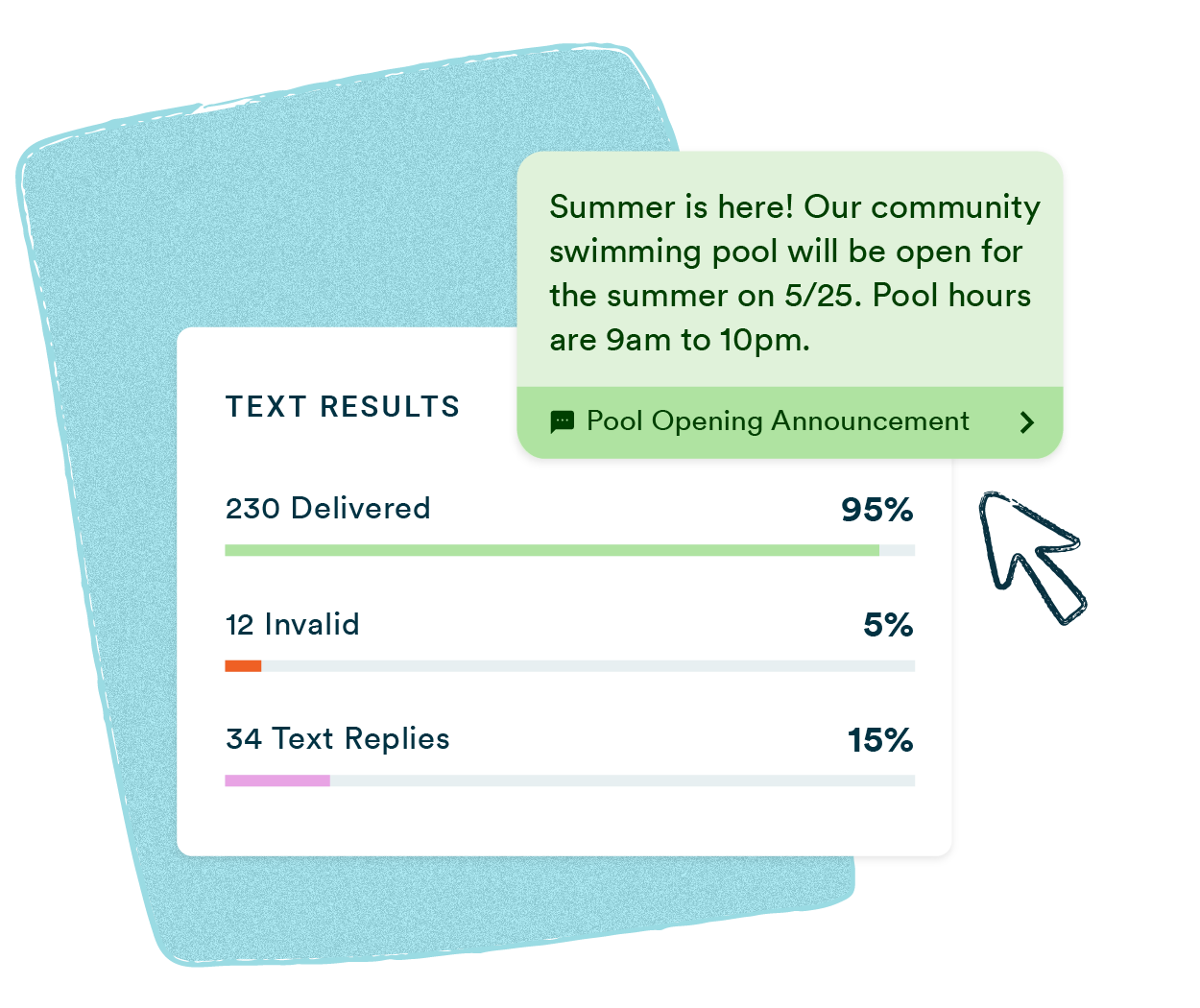
See delivery status, reply counts, and opt-outs for every broadcast in real time.
Integrations and API
Connect to Zapier, Okta, ViaSocket, and others — or trigger announcements automatically via API.

Best practices for text announcements
An effective text announcement identifies the sender, states the key information first, and includes one clear action if needed. Keep it under 160 characters — one segment, one credit per contact.
01
Identify yourself
Recipients need to know who is texting them. Start with "Grove Medical:" or "Ridgeline High School:" before the message body.
02
Important info first
State the closure, deadline, or change in the first sentence. Don't build to it.
03
One action per message
If a response is needed — call a number, log in, reschedule — state that one action at the end.
How do you send a text announcement?
Sending a text announcement with Text-Em-All takes four steps: import contacts, write your message, choose your send time, and launch. Most first-time users send their first broadcast within 15 minutes of creating an account.
01
Add contacts
Upload a spreadsheet or add manually. Text-Em-All filters out non-textable numbers automatically.
02
Send your message
Type your announcement, add personalization fields, and preview it on mobile. Target under 160 characters — one segment, one credit per contact.
03
Engage with replies
Replies land in a shared inbox your whole team can see. Keyword auto-replies handle the rest.
04
Track performance
Review delivery reports, reply counts, and opt-outs in real time — no waiting for a report to generate.
Text-em-all is a user-friendly, fast, and effective way to communicate with our members. It is great to be able to save a recorded announcement and use it when we are ready. I also like that the calls are completed faster than they were with our hardware-based calling system.
- Jennifer H., Salem United Methodist Church
Questions about text announcements
-
How many contacts can I send a text announcement to at once?
Text-Em-All supports large-scale broadcasts with no hard cap on list size. Pay-as-you-go accounts can send to any number of contacts using pre-purchased credits (one credit per 160-character message segment per contact). Monthly plans include a set number of credits per billing period. There are no per-campaign fees.
-
Do I need prior consent to send text announcements?
Yes. Informational announcements require prior express consent — meaning recipients must have agreed to receive texts from your organization through a form, verbal opt-in, or website sign-up. Promotional announcements require prior express written consent, such as checking a box or texting a keyword to opt in. Text-Em-All does not support sending to purchased lists.
-
Can I send text announcements with images or attachments?
Yes. MMS messages support images, PDFs, and other media files up to 500KB per message. MMS requires one additional credit per message on pay-as-you-go accounts and an add-on on monthly plans. Not all carriers support every media format — Text-Em-All's platform flags compatibility issues before sending.
-
What is the character limit for a text announcement?
Standard SMS messages are 160 characters per segment. Messages over 160 characters are automatically split into linked segments, each counted as one credit. Unicode characters (emojis, accented letters) reduce the segment limit to 70 characters. Pay-as-you-go accounts support up to 1,600 characters per message. Monthly accounts support up to 320 characters standard, with up to 960 characters available via the Enhanced Text Messaging add-on.
-
Can I send both text and voice announcements at the same time?
Yes. Text-Em-All supports combo broadcasts that send a text message and an automated voice call in a single broadcast. This is useful when the announcement is critical enough to warrant reaching contacts on both channels simultaneously.
-
How do I make sure my text announcements aren't blocked by carriers?
Carrier filtering is primarily triggered by unregistered sender numbers, prohibited content, and high spam-complaint rates. Text-Em-All handles 10DLC carrier registration for all business accounts at no charge, with most registrations processed within 1–2 business days. Sending to opted-in contacts with clearly identified senders is the most effective protection against filtering.
-
How much does it cost to send text announcements?
Text-Em-All offers pay-as-you-go pricing (credits purchased as needed, starting at $0.09 per credit) and monthly plans for organizations that send regularly. There are no setup fees, no long-term contracts, and no per-campaign charges. Use the SMS cost calculator to estimate cost based on your list size and send frequency.
Ready to start texting the right way?
Text-Em-All gives you the tools to send text announcements that are fast, compliant, and effective. No long-term contract required.