






TEXT MESSAGING FOR SCHOOLS
Mass text messaging for schools helps you reach every family, every time
Parents don't check the school app. Emails land in promotions folders. Robocalls go to voicemail. Text-Em-All puts your school's messages directly on the screen families and staff check most, with delivery tracking that confirms exactly who received every update.


What is a text messaging service for schools?
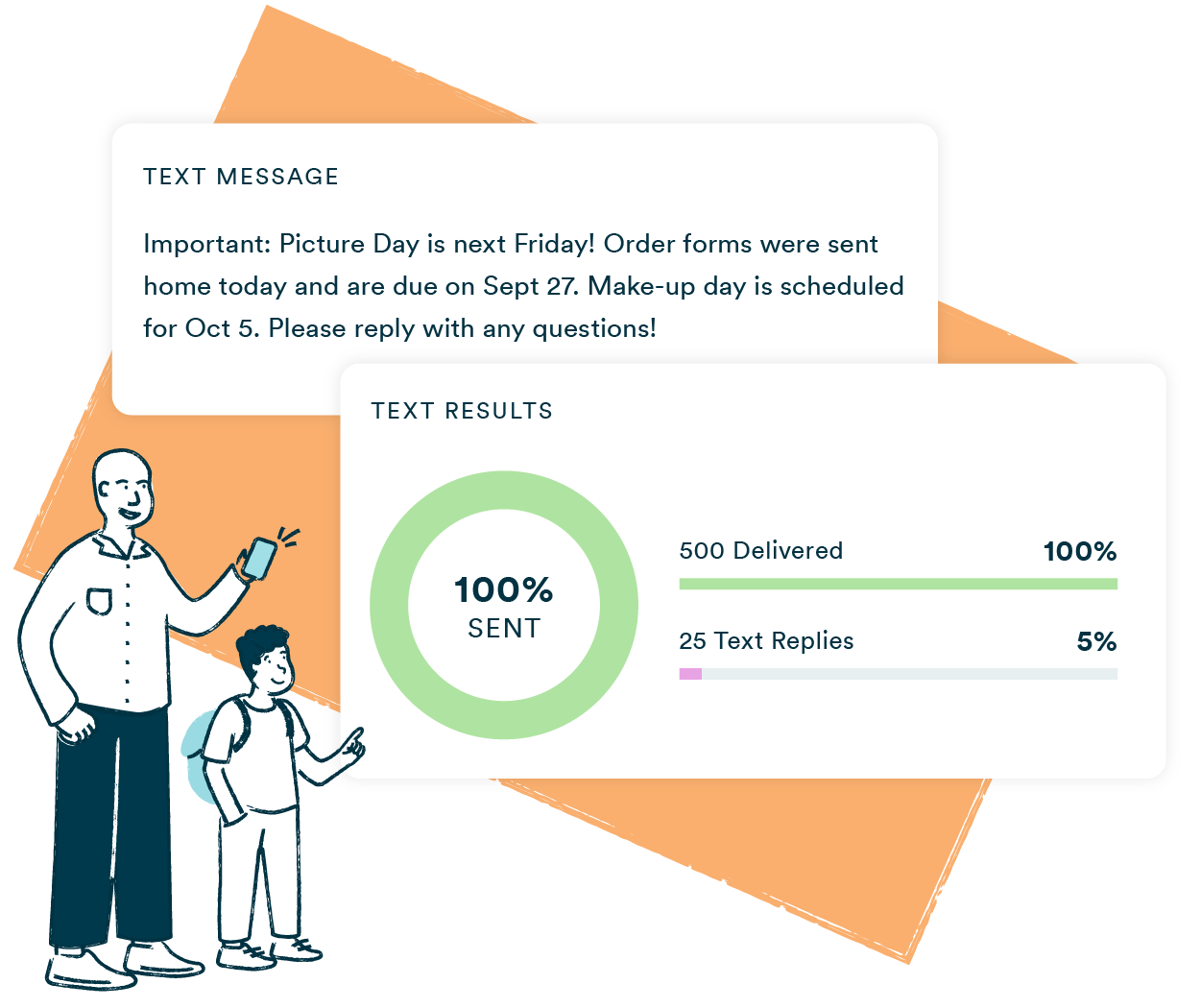
A text messaging service for schools lets administrators, teachers, and staff send SMS to parents and colleagues from a single platform. Common uses include emergency alerts, school closures, substitute notifications, and staff coordination. Texts reach recipients in seconds, two-way replies let families respond directly, and built-in compliance tools handle opt-outs automatically.
Why schools choose Text-Em-All
Messages that get through
Email gets buried. Phone trees take hours. A text goes to the one screen parents, teachers, and staff check all day — with delivery tracking that shows exactly who received it.
Speed when it matters most
The average school emergency doesn't wait. Send a weather closure, safety alert, or last-minute substitute notice from any device in under two minutes. Your whole community knows before the situation gets ahead of you.
No IT team required
Upload a contact list, write your message, send. Text-Em-All is built so any staff member can run a broadcast without training, a help desk ticket, or a dedicated administrator.
7%
improvement in attendance
45%
average response rate
90%
of texts are read within 3 minutes
How schools use text messaging
Schools use Text-Em-All for staff coordination, parent communication, and emergency notifications that reach the entire community in seconds. One broadcast notifies the whole school. Replies come back to a shared inbox, not a personal phone. Every message is logged, tracked, and archived so administrators always know what went out and who received it.
School closures and delays
Send weather closures, early dismissals, and delay notices to every family before they leave the house. No robocalls, no missed emails.
Emergency alerts
Get critical information to parents and staff in seconds when something unexpected happens. No waiting, no phone chain, no hoping the word gets out.
Substitute notifications
Notify staff about last-minute substitutes, coverage changes, and schedule adjustments the moment they happen — before the school day starts.
Attendance reminders
Remind families about upcoming events, early release days, or missing paperwork. Two-way replies let parents confirm without calling the front office.
Staff coordination
Keep teachers and administrators aligned on meeting times, policy updates, and campus announcements without adding to anyone's inbox.
Event and activity updates
Text athletic schedules, fundraiser reminders, and extracurricular updates to the families who need them — without blasting the whole school.
Who uses Text-Em-All for school communication?
School communication doesn't follow a single chain of command. Administrators need to reach every family fast. Office staff need to confirm attendance and appointments. Teachers need to coordinate with colleagues without disrupting class. Text-Em-All supports all three from the same account, with separate contact lists for each audience and full visibility into every send.
Principals and district administrators
Send school-wide alerts, emergency notifications, and district announcements to parents and staff at once. Delivery reports confirm who received the message so nothing falls through.
Office and front desk staff
Send attendance reminders, appointment confirmations, and policy updates to families. Two-way texting means parents can reply and staff can respond without a phone call.
Teachers and department leads
Coordinate with colleagues on schedule changes, substitute coverage, and staff meetings. Keep your team informed without relying on email threads that go unread.
Athletic and activities coordinators
Text game schedules, practice cancellations, and event reminders to the specific families and students who need them. No mass blasts, no irrelevant notifications.
How does school text messaging work?
School text messaging works by sending SMS from a web-based platform to a contact list in seconds. Upload your contacts, write your message, and send or schedule it. Your whole community receives it on their personal device. Replies route to a shared inbox so any team member can follow up without using a personal phone.
01
Add contacts
Upload a spreadsheet or add contacts manually. Contacts are flagged automatically if they can't receive texts. Landlines, invalid numbers, and opted-out recipients are filtered out before you send.
02
Send your message
Write your message, personalize it with a first name, and send it immediately or schedule it in advance. Keep messages under 160 characters for a single-credit send.
03
Engage with replies
Two-way texting means parents and staff can respond directly. Your whole team can see incoming replies in a shared inbox and follow up from the same account.
04
Track performance
Review your delivery report after every send. See who received the message, who replied, and who didn't. Every campaign gives you a clear record for your files.

Text-Em-All is a cost-effective way to send messages to our district families and staff. The previous texting program we used cost a ridiculous amount of money. And you had to pay monthly per line, in addition to the credits purchased each month. Text-Em-All has saved us SO much money! And it's easy to use!
- Anonymous Educator
Questions about school texting
-
How much does a school text messaging service cost?
Text-Em-All offers two pricing options for schools: pay-as-you-go credits and monthly plans. Credits never expire and work for organizations with irregular send schedules. Monthly plans include a fixed message volume at a flat rate. There are no contracts and no per-seat fees. Current rates are on the pricing page.
-
Is text messaging for schools compliant with privacy regulations?
The two main regulations to keep in mind when it comes to privacy and texting are the Family Educational Rights and Privacy Act (FERPA) and the Telephone Consumer Protection Act (TCPA).
The FERPA act simply states that a student's information should be kept private. In other words, only those who have a legitimate need to see the student’s data should be able to. FERPA regulations do not apply to prospective students.
TCPA laws are much broader. They are not specific to education and apply to everyone, whether they're current students, parents, alumni, or even school applicants. It's also a best practice to keep all regulations currently in place for phone call and email communications and apply them to all texting communications as well.You can read more about these laws here.
-
Is text messaging more effective than email for school communication?
Text messages are opened at a significantly higher rate than email and are typically read within minutes of delivery. For time-sensitive communication such as closures, emergencies, and last-minute changes, texts reach families before they've left home or made alternate plans. Email remains useful for detailed information; text works best when the message needs to land immediately.
-
What types of messages can schools send through Text-Em-All?
Schools use Text-Em-All for emergency alerts, weather closures, early dismissal notices, substitute notifications, attendance reminders, event updates, staff coordination, and parent-teacher meeting confirmations. The platform is designed for school-to-family and school-to-staff communication. It is not a student messaging service and cannot be used for student-to-student texting.
-
Is school text messaging compliant with regulations?
Yes. Text-Em-All is built to meet some TCPA requirements, such as automatic opt-out processing. Schools are responsible for obtaining appropriate consent from parents and staff before sending messages and sending during TCPA-compliant sending windows. Text-Em-All provides guidance on building compliant opt-in processes for new programs.
-
How do I get started with a text messaging service for my school?
Create a free Text-Em-All account, upload your contact list, and send a test message to yourself. No contract is required to start, and most schools send their first real broadcast within the same day they sign up. Carrier registration is required for any organization sending texts and is handled by Text-Em-All at no additional charge, with most registrations completed within one to two business days.
School communication doesn't have to be complicated
Create a free account and send your first message to parents, staff, or students as soon as your registration is approved. No contract, no IT team, no per-seat fees.