



 Kaitlyn Orred
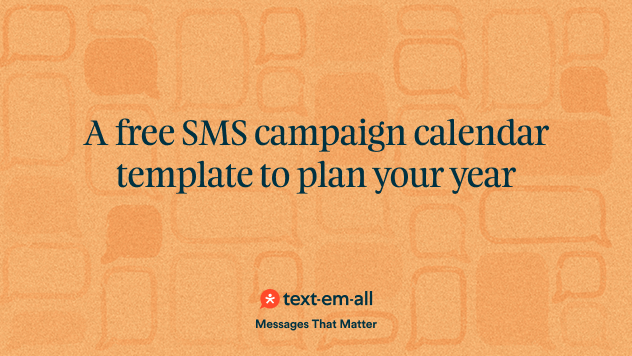
An SMS campaign calendar is a schedule of every text you plan to send, to which group, and when. It keeps you from texting three times in one week and then going quiet for a month, and it shows you the holidays and busy seasons before they arrive.
If you run a store, you can start with our free Retail Text Calendar, which has the texts already written, rather than a blank page. This post covers how to plan any calendar and how to use it.
Why you need an SMS campaign calendar
A campaign calendar keeps your texting steady, so you don't flood subscribers one week and vanish the next. It also puts the dates that matter to your business, like holidays, sales, and seasonal peaks, in front of you early enough to write something good.
It does three jobs.
- It catches gaps and pile-ups. You see the week with four sends and the month with none, and you fix both before a subscriber notices.
- It keeps you to the frequency you promised. When people sign up, they agree to hear from you at a certain pace. A calendar shows how often each group is actually hearing from you, so you can stick to it.
- It lines texting up with everything else. Your SMS strategy works best when it supports your sales, promotions, and seasonal peaks instead of running on its own.
How do you plan an SMS campaign calendar?
Plan a calendar in four steps: list the year's events, set how often each group hears from you, write the texts, and track what happens. Then schedule the sends so they go out whether or not you're busy that day.
- Map the year. List every holiday, sale, seasonal trend, and launch that a text could support. Start with the obvious dates, then add the ones only your business has, like a harvest week, a fundraising drive, or a registration deadline.
- Set frequency for each group. Your most engaged customers may like a weekly note while casual subscribers prefer something monthly. Start with fewer sends than you think you need and watch your opt-outs before you add more. Text-Em-All lets you send to different groups, so each one gets its own pace. Our post on the best time to send a text helps with the timing.
- Write the texts ahead of time. Give each calendar entry a theme, an offer, and a draft. A text written the night before reads like one.
- Track and adjust. Text-Em-All reports delivery, replies, and opt-outs, which are the three numbers worth watching. Look at them after each send and again at the end of each quarter, then change next quarter's plan to match.
Once the calendar is set, schedule the texts in Text-Em-All ahead of time. They go out on time even when you're away.
What is the free SMS campaign calendar template?
It's our Retail Text Calendar: a year of ready-to-send customer texts that you turn into your own calendar. You set up your store, pick the texts you want, and edit them to sound like you. Then you copy them, print them, or download them to a calendar app or spreadsheet.
It's built for store owners and managers who want to text customers through the year without writing every message from scratch. It doesn't ask for an email address.
Retail texts can pay off quickly. Rob J. at Marczyk Fine Foods said they "only had 1 cherry pie on order, but 36 hours after the text campaign, we had 36 pie pre-orders." Read the Marczyk Fine Foods story, then build your Retail Text Calendar.
If you're not in retail, the planning steps above still work for your own calendar. See texting for retail for more on how stores use text messages.
How often should I send SMS campaigns?
Fewer than you think, at first. Pick a pace you can keep up and watch your opt-outs. If they stay low and people reply, add a send. If they climb, pull back. The right number depends on your audience and what you're sending, so your own opt-out rate is the best guide.
Can I use this calendar for multi-channel campaigns (SMS and email)?
Yes. A calendar is a good place to plan timing, themes, and audiences across both channels so your messages don't overlap or clash. Write each one for its channel: text is short and asks for one action, and email can carry more detail.
How can I automate campaigns from the calendar in Text-Em-All?
Copy each calendar entry into Text-Em-All, choose the send date and time, pick who gets it, and schedule it. The text goes out when you set it to, with no one at a keyboard. The Retail Text Calendar exports to a calendar app, a spreadsheet, or a CSV file to make the copying easier.
Where to start
Start with the next three months, not the whole year. Plan those sends by group, write them, and schedule them. Then look at your replies and opt-outs and let them shape the rest of the year.
If you run a store, open the free Retail Text Calendar and take the texts that fit. If you're ready to send, set up your free account.