
What is a vaccine reminder text message?
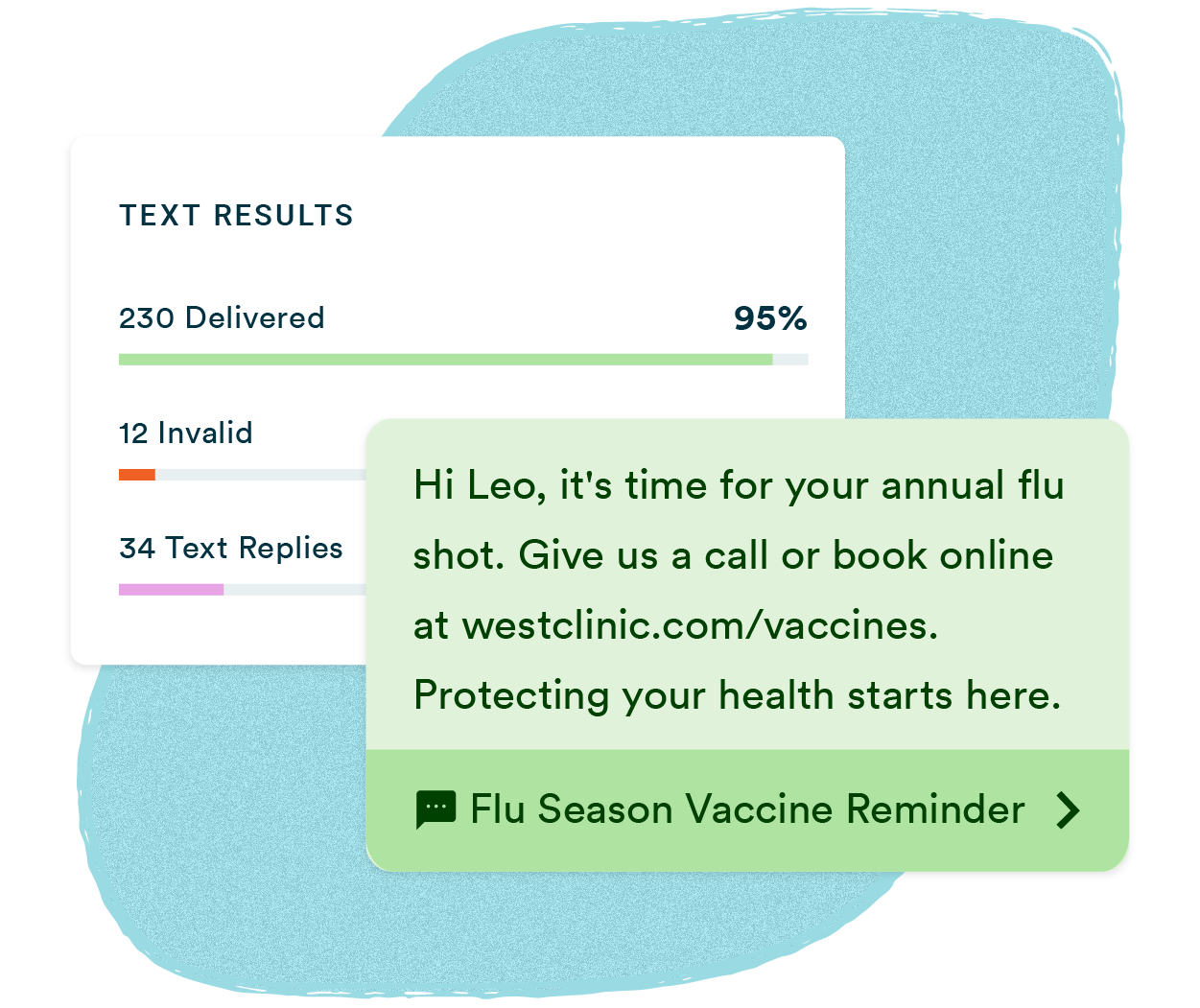
A vaccine reminder text message is an automated SMS sent to patients, employees, or members notifying them that a vaccine or flu shot is due, available, or scheduled. Organizations use them to reach entire contact lists in minutes, reduce missed appointments, and increase vaccination rates without adding staff time.
Why organizations trust Text-Em-All for vaccine reminders
Reach everyone in minutes
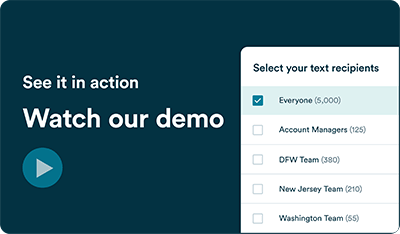
Upload your contacts, write your message, and send. Everyone on your list gets notified before your next staff meeting ends.
More vaccinations, less effort
Practices using automated reminders see significantly more patients follow through on scheduled vaccines without adding calls to the front desk queue.
Consent-first by design
Text-Em-All is built for organizations that message responsibly. Collect opt-in consent from your contacts, and we'll handle delivery, filtering, and compliance tools from there.
Who sends vaccine reminder texts?
Any organization responsible for getting people vaccinated on time — whether that's a clinic managing patient panels, a pharmacy running flu shot season, or an employer protecting workforce health.
Healthcare providers
Physician practices, clinics, and health systems notify patient panels when vaccines are due, confirm appointments, and fill last-minute openings when doses become available.
Pharmacies
Retail and independent pharmacies alert customers when flu shots are available, remind them when the next dose is due, and follow up on two-dose series without tying up staff.
Employers
HR and occupational health teams drive participation in on-site flu clinics, communicate vaccine requirements, and notify employees when appointment slots open.
Public health organizations
Health departments and community health centers send immunization reminders to large contact lists during seasonal campaigns, outbreak responses, and routine outreach.
Key features for vaccine reminders
Scheduled sending
Write your reminder once, set the time, and let it run. Queue up appointment reminders days in advance without anyone having to remember to hit send.
Two-way texting
Contacts can reply directly to your reminder. Answer scheduling questions and handle rescheduling in a shared inbox without picking up the phone.
Contact management
Upload a spreadsheet or add contacts manually. Text-Em-All automatically filters non-textable numbers so your reminder reaches everyone it can.
Detailed analytics
See delivery rates, reply rates, and opt-out rates for every broadcast. Know what's working before the next send.
Rich media (MMS)
Attach a clinic map, appointment instructions, or a QR code for check-in. One image can answer the questions that would otherwise come back as replies.
Message templates
Start with a proven vaccine reminder template and customize it for your organization and vaccine type. No starting from scratch every flu season.

Best practices for vaccine reminder texts
Vaccine reminder text messages work best when they follow a simple set of rules: send at the right time, keep the message focused, and don't contact people more than necessary. Organizations that follow these patterns consistently see higher appointment completion rates and fewer opt-outs over time.
01
Time your reminders right
Send two messages: one three days before the appointment, and a second the morning of. For seasonal campaigns, follow an availability announcement with one or two weekly follow-ups.
02
Keep it short and specific
Identify your organization, state the reason, and include one clear action. Everything the recipient needs should fit in a single glance.
03
Don't overdo it
Two to three messages per vaccine cycle is the ceiling. More than that, and contacts start opting out, which makes the next campaign harder to run.
How do you send a vaccine reminder text message?
Sending a vaccine reminder text message with Text-Em-All takes four steps: import your contacts, write and schedule your message, respond to replies, and review your results. Most organizations send their first broadcast within minutes of creating an account.
01
Add contacts
Add your contacts manually or upload a spreadsheet. Text-Em-All automatically identifies non-textable numbers and filters them out, so your reminder only goes to people who can receive it.
02
Send your message
Choose text, voice, or a combination. Write your vaccine reminder, schedule it for now or later, and send to your entire list at once. The whole process takes minutes.
03
Engage with replies
When contacts reply with questions, confirmations, or reschedule requests, respond directly from your inbox. Two-way texting keeps the conversation going without a phone call.
04
Track your results
See delivery rates, reply rates, and opt-outs for every broadcast. Know how many contacts received your reminder, who responded, and what to adjust before the next send.
I use Text-Em-All for announcements about flu shot reminders, new services, and new locations. It has definitely increased business.
- Brian S., Small Business Owner
Questions about vaccine reminders
-
What type of consent do I need before sending vaccine reminders?
Vaccine reminders are informational messages, which require prior express consent — meaning your contacts have agreed to receive texts from your organization through a form, verbal agreement, or website opt-in. Promotional consent rules don't apply, but you should document how and when consent was collected.
-
How many vaccine reminder texts should I send?
Two to three per vaccine cycle is the practical limit. A scheduling prompt, an appointment confirmation, and a same-day reminder cover the full cycle without fatiguing your contacts. Sending more increases opt-out rates and makes future campaigns less effective.
-
Can I personalize vaccine reminder texts?
Yes. Text-Em-All supports merge tags for first name, appointment time, location, and other contact fields. Personalized reminders consistently outperform generic broadcasts on response and confirmation rates.
-
What's the character limit for a vaccine reminder text?
A standard SMS segment is 160 characters. Text-Em-All supports messages up to 320 characters on most plans, and up to 960 characters with the Enhanced Text Messaging add-on. Shorter messages perform better — keep your reminder under 160 characters when possible.
-
Can I send vaccine reminders to a large list at once?
Yes. Text-Em-All is built for mass sending. Upload your contact list, write your message, and deliver to thousands of recipients in minutes. Non-textable numbers are filtered automatically before the send.
-
What happens if a contact replies to a vaccine reminder?
Replies come into your Text-Em-All inbox where you or your team can respond directly. Use two-way texting to confirm appointments, answer questions, or handle reschedules without a phone call.